Multi-tenant SaaS
WorkForge
One app for the six a small company opens every morning
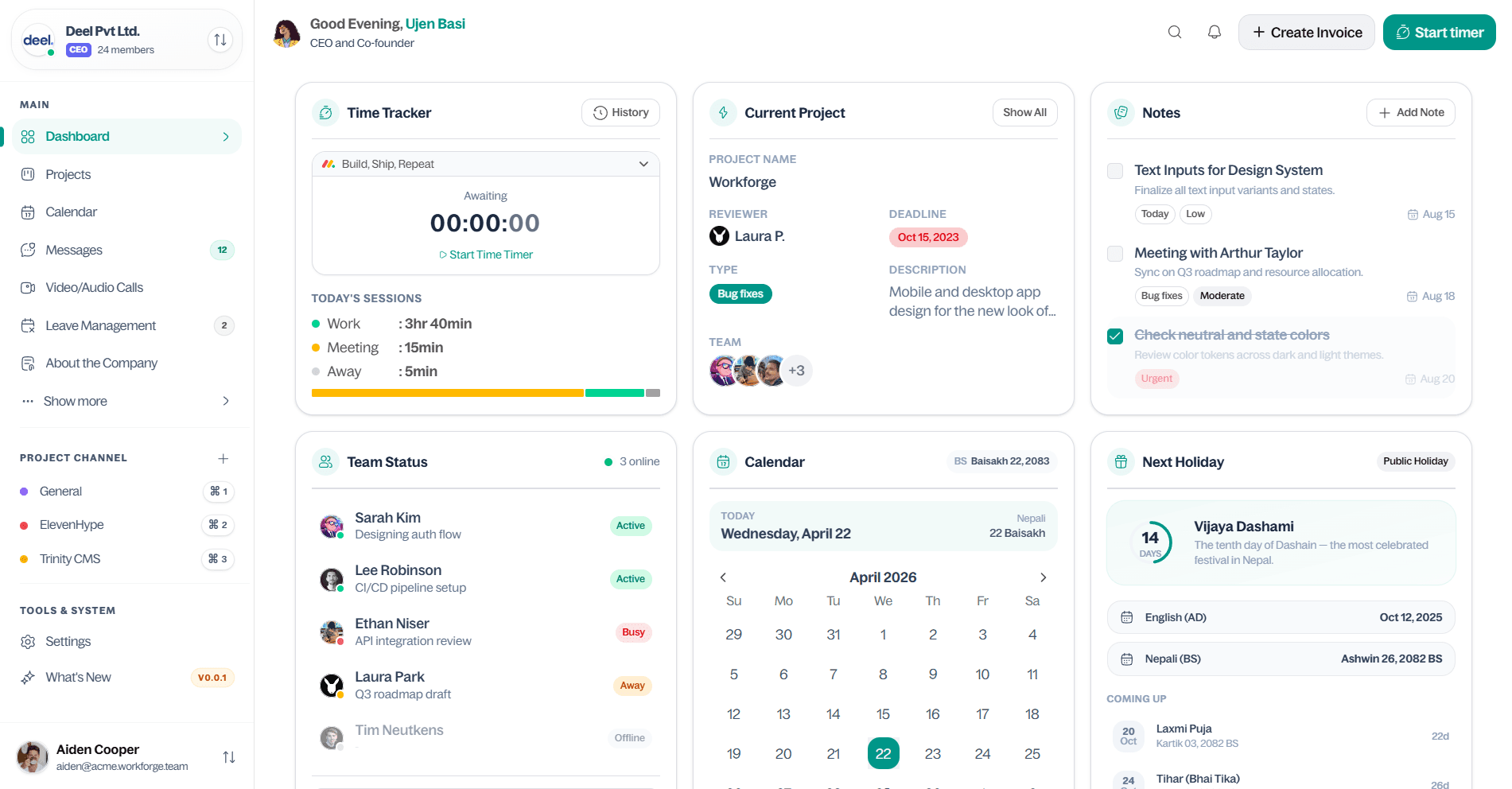
Work software for small companies. Every company gets its own address and its own data, and four roles — CEO, HR, manager, employee — decide who can see and change what. Most of the real work has gone into keeping one company's data completely away from another's.
- Role
- Solo - architecture, backend, frontend, design
- Timeline
- 2025 — Present
- Status
- In development
- Stack
- Next.js 15, TypeScript, tRPC, Drizzle ORM, PostgreSQL, Better Auth, shadcn/ui
01 — Context
The problem
Small companies run the day on five or six separate tools. Time tracking in one, leave requests in another, tasks somewhere else, chat and meetings somewhere else again. None of them know about each other, so people spend a real part of the day just moving between tabs and copying things across.
WorkForge puts those pieces in one place — time, leave, tasks, chat, meetings — behind one login and one set of permissions.
02 — Decisions
How I approached it
Every company gets its own address
A company signs in at its own subdomain, like acme.workforge.team. The middleware reads the company from the address once, before any other code runs, and passes it down. Nothing further along has to read the URL again or trust an ID sent from the browser.
Type tasks instead of filling in forms
Planning a week of work through a form means opening the same dialog fifteen times, so tasks can be written as plain text instead: one line per task, @ for who it goes to, # for the type, ~ for the due date, and indented dashes for subtasks. Paste a block, get the tasks. Only that small set of symbols is understood, which also keeps raw HTML out of anything a user types.
Still processing — decision not reached yet
Still processing — decision not reached yet
2 of 4 decisions written up — the rest are still being made.
Try it — this is the real parser
Edit the text on the left. Every task on the right is built from it as you type — # type, @ assignee, @@ reviewer, + tag, ~ due date, ^ project, indented dashes for subtasks.
03 — Structure
How it fits together
- Edge
Middleware · Subdomain → company · Session guard
The company is worked out once, before any page or API code runs.
- API
tRPC router · Company-scoped procedures · Role checks
Types are shared end to end, and permission checks sit in middleware instead of in every handler.
- Data
Drizzle ORM · PostgreSQL · Redis
Queries arrive already narrowed to one company. Asking for everything is not something a handler can do.
- Interface
Next.js 15 App Router · shadcn/ui · Custom task parser
Rendered on the server by default; client-side code only where something has to hold state.
04 — Problem solving
What was actually hard
Problem
The time tracker is the fiddliest thing in the app. It has to keep running when the tab is closed, know when the working day ends, reset itself at the right time, handle someone who forgets to clock out, and still count overtime correctly. Fixing one of those rules tends to break another.
Solution
UnsolvedStill working this one out. It goes here once the answer holds up.
Problem
Anyone who can create an account can create one above their own if you are not careful. An HR user could hand out a CEO account. A manager could quietly promote themselves. Every other permission in the app depends on roles being right, so this is the one thing that has to be.
Solution
Every role change goes through one function that compares positions in the hierarchy. You can only give someone a role below your own, and you cannot change anyone at your level. The hierarchy is an ordered list, so the rule is a single comparison in a single file instead of role checks scattered through the code.
const RANK = { ceo: 0, hr: 1, manager: 2, employee: 3 } as const;function assertCanAssign(actor: Role, target: Role) { // Strictly below the actor: no peers, no promoting yourself. if (RANK[target] <= RANK[actor]) throw new TRPCError({ code: "FORBIDDEN" });}Problem
I kept losing track of my own app. Payroll settings in one corner, leave rules in another, and I had written both of them. If I could not remember where something lived, nobody opening it for the first time was going to find it either.
Solution
One search box that covers everything: people, tasks, projects, pages and settings. It opens with a keyboard shortcut from anywhere in the app, groups results by what they are, and jumps straight to the page instead of showing a list of links. Small feature, and the one I use most.
Problem
Typing @sita in a task means the parser has to find the real person behind that name, which makes a text parser part of the security boundary. Search for 'the user called sita' the obvious way and you can hand someone's work to a stranger at another company. One paste also creates twenty tasks at once, so failing the whole batch because of one typo is no good either.
Solution
Names are looked up through the same company-scoped query as everything else, so a typo and a real person at another company give the same answer: not found. Parsing and saving are also separate steps. The text first becomes a preview with a warning on each line that has a problem — unknown name skipped, bad date dropped, unknown type treated as a plain task — and nothing is saved until you accept it. One bad line no longer takes the other nineteen with it.
// Names are looked up through the company-scoped handle, so a real// person at another company looks exactly like a typo: not found.const members = await ctx.scoped.members.byHandle(tokens.assignees);const warnings = tokens.assignees .filter((handle) => !members.has(handle)) .map((handle) => ({ line, kind: "unknown-assignee", handle }));// Parsing and saving are separate calls. This one only builds a preview.return { tasks: tokens.map(withResolved(members)), warnings };05 — Result
Where it landed
- Roles
- Four levels, one rule
- Tasks
- Bulk create from plain text
- Meetings
- Video calls with AI notes
- Hiring
- Applicant tracking
What I'd do differently
Too earlyThe project is still early, so this is a short list rather than a proper look back. Two things I would already do differently. First, put the company boundary in the database itself with row-level security, instead of trusting the query layer to remember it every time — the app code works, but the database refusing outright is one less thing to get right. Second, write the permission tests before the permissions. I found the account-creation hole by hand, and that is exactly the kind of thing a test should find instead. The rest of this gets written once there is something shipped to look back on.